What is your vault?
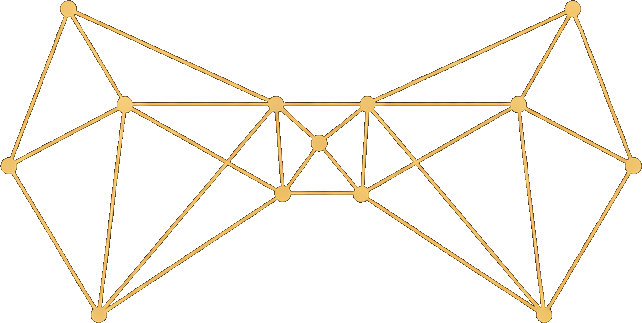
Your vault is where Alfred keeps everything it knows about your world. It’s a living map — a collection of structured records that are all connected to each other through links. Every person, project, task, decision, and insight lives here. Unlike a folder of notes, your vault is structured (every record has a type and metadata), connected (records link to each other), and growing (Alfred continuously adds and refines records as you share content).How records work
Each record in your vault has three parts:- Type and metadata — What kind of record it is (person, task, decision, etc.) along with properties like status, dates, tags, and owners
- Content — The main body with details, context, and notes
- Connections — Links to other records in your vault
Example: Person record
Example: Person record
Alice Smith (type: person)
- Status: active
- Organization: linked to Acme Corp
- Email: alice@acme.com
- Tags: engineering, backend
Alice is a senior backend engineer who joined Acme in 2025. She leads the Platform v2 migration effort.Connected to:
- Acme Corp (org)
- Platform v2 (project)
- Deploy staging environment (task)
- Architecture Review (conversation)
How connections work
When Alfred reads a meeting note that mentions “Alice from Acme discussed the Q1 launch,” it creates or updates multiple records and links them together:- The conversation record links to Alice (person) and Q1 Launch (project)
- Alice’s person record links back to the conversation and to Acme Corp (org)
- The project record links to Alice and the conversation
The four layers
Your vault organizes knowledge into four layers:Who and what — Standing entities
Records for the stable elements of your world: people, organizations, projects, locations, accounts, assets, processes, and matters (ongoing concerns that group related errands). These persist and accumulate connections over time.What happened — Activity records
Records for events, conversations, tasks, notes, and sessions. These capture what occurred and link to the people and things involved.What we know — Learning records
Records created by the Distiller that surface hidden knowledge: assumptions being made, decisions taken, constraints in play, contradictions between sources, and synthesized insights.How Alfred learns — Intuition records
Records created by Alfred’s intuition system: observations of your routing decisions, instincts distilled from those observations, and nightly reflection reports. These grow over time as Alfred learns your preferences and develops the judgment to handle routine decisions on your behalf.How your vault grows
Your vault grows from two sources: streams (automatic) and manual sharing (ad-hoc). Streams are the primary growth engine. Gmail, Notion, Omi, and other integrations continuously feed events into the Event Processor, which classifies them and hands them to the Curator for record creation. During onboarding, a 100-day Gmail backfill runs automatically — creating an initial vault structure from your recent email history so Alfred has meaningful context from day one. Manual sharing supplements streams with ad-hoc content — meeting notes, pasted research, documents from tools you haven’t integrated yet. In both cases, the pipeline is the same:- The Curator identifies people, projects, and events, creating or updating records
- New records are linked to existing ones where relevant
- The Janitor ensures all connections are valid
- The Distiller periodically surfaces deeper knowledge
- The Surveyor clusters records by meaning and discovers cross-record relationships
- Alfred’s intuition observes your routing decisions and refines its instincts
Vault Nebula
The Vault Nebula is the visualization on your dashboard homepage. Each CSS cloud represents a cluster of related records discovered by the Surveyor — sized by record count and colored by theme. It gives you an ambient, at-a-glance picture of what Alfred is tracking across your world.Accessing your vault
You can browse and search your vault in two ways:- Dashboard — Use the vault browser to filter by type, search by keyword, and click through connections
- API — Use endpoints like
GET /api/v1/vault/context,GET /api/v1/vault/search, andGET /api/v1/vault/list/{type}for programmatic access
Record Types
See all 26+ record types in detail
Record Format
Understand the structure of records